Introduction
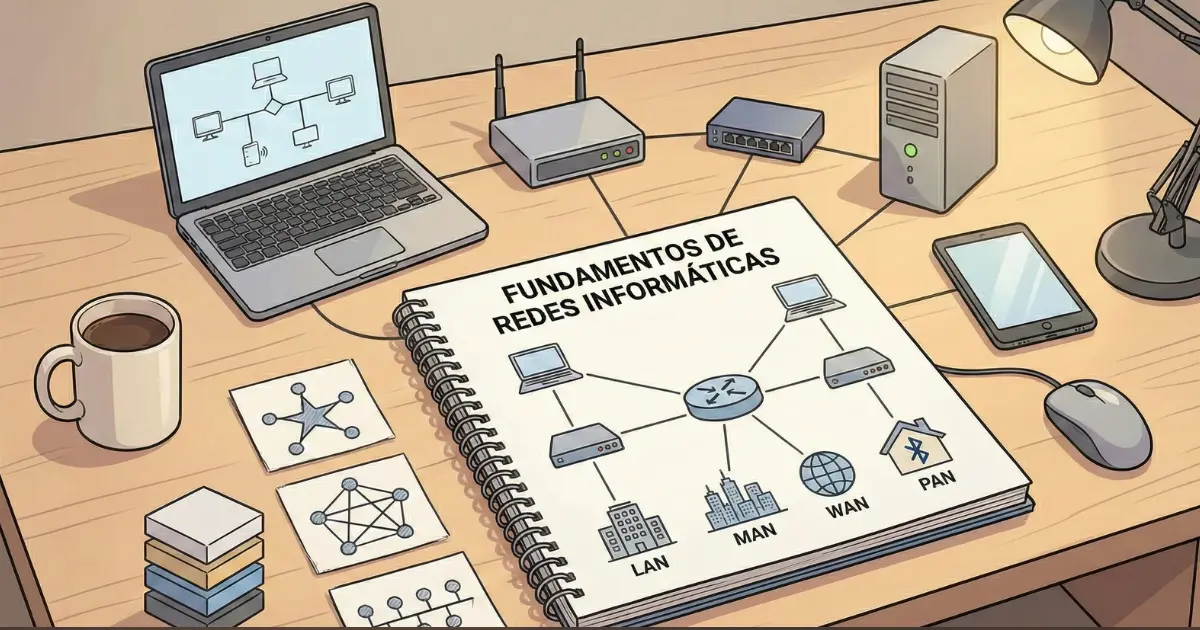
A network is a group of interconnected devices that share resources and information. Those devices can include computers, servers, printers, routers, switches, access points, and many other systems that communicate to move data from one place to another.
Strong foundation
Understanding networking makes IP addressing, routing, security, and subnetting much easier to learn.
Big-picture view
Components, network types, topologies, and core concepts brought together in one guide.
Practical focus
Tools and technologies that appear in real networks, not only in diagrams or exams.
Recommended path through the fundamentals
If you are starting from scratch, follow this order. Each guide builds on the previous one and prepares you for subnetting.
1) IP Addressing
IPv4 and IPv6, public and private addresses, masks, gateways, and the concepts you need to understand IP networks.
2) OSI Model
Layers, encapsulation, and a structured way to troubleshoot networking problems one level at a time.
3) Network protocols
TCP, UDP, DNS, HTTP, DHCP, and how common protocols relate to IP and the OSI/TCP-IP models.
4) Subnetting, once the basics are clear
FLSM, VLSM, and practical exercises where the earlier concepts finally come together.
Definition and key concepts
A network is a set of interconnected devices that exchange information and share resources. Networks are essential to modern computing because they make communication between people, organizations, applications, and devices possible.
Basic components of a network
Devices
Computers, servers, routers, switches, access points, and other equipment that sends, receives, or forwards traffic.
Transmission media
Copper cabling, fiber, and wireless links such as Wi-Fi carry bits between interfaces.
Protocols
Rules and standards that let independent systems understand each other, such as IP, TCP, UDP, HTTP, and DNS.
Software
Operating systems, management tools, monitoring platforms, and security controls used to operate the network.
History and evolution of computer networks
Computer networking has evolved through several stages that shaped the systems and standards used today.
How computer networks evolved
Early networking experiments appeared in the 1950s as researchers and military organizations explored ways to connect computers and share computing resources.
Packet switching research and ARPANET helped establish the foundations of internetworking during the 1960s and 1970s. TCP/IP then provided a common architecture for interconnecting heterogeneous networks. During the 1980s Ethernet and DNS made local and wide-area networking more practical, while the 1990s web accelerated Internet adoption. In the twenty-first century, Wi-Fi, mobile networks, cloud computing, IoT, and software-defined networking expanded both scale and use cases.
Timeline at a glance
1950s–1960s: early networking concepts
Research laboratories explore early ideas for interconnecting computers.
Leonard Kleinrock publishes work on packet-switching theory, one of the foundations of later data networks.
ARPANET goes into operation as an early packet-switched network and an important predecessor of the Internet.
1970s: the birth of modern internetworking
Early host-to-host networking protocols such as NCP are used while internetworking research advances.
An early formal description of the Transmission Control Program is published, leading toward the TCP/IP architecture.
Email protocols evolve toward the standards that later become the basis of modern Internet mail.
1980s: expansion and standardization
ARPANET transitions to TCP/IP, consolidating the protocol suite that underpins the Internet.
DNS is introduced so names can be mapped to network resources without relying on one central host file.
Ethernet-based LANs become increasingly common in organizations.
Tim Berners-Lee begins work that leads to the World Wide Web.
1990s: the Internet revolution
The first web server and website are developed.
The World Wide Web becomes publicly available and hyperlinked navigation begins to spread.
Commercial Internet use and e-commerce grow rapidly.
Wi-Fi adoption accelerates with IEEE 802.11b products.
2000s: global and wireless connectivity
IPv6 standardization and deployment work continues as the industry prepares for long-term address growth.
Social platforms and rich web applications drive major increases in Internet traffic.
Smartphones increase demand for mobile data and always-on connectivity.
4G deployments begin to deliver higher mobile bandwidth and lower latency.
2010s–today: cloud, IoT, 5G, and automation
Cloud computing expands and services increasingly move away from local infrastructure.
IoT adoption connects growing numbers of sensors and embedded devices.
5G deployments introduce higher capacity and lower-latency mobile networking.
Software-defined networking and automation become increasingly important for operating networks at scale.
View the historical summary as a table
| Period | Key milestones |
|---|---|
| 1950–1960 | Early interconnection ideas, packet-switching research, and ARPANET in 1969. |
| 1970s | Early networking protocols and the development of the ideas that become TCP/IP. |
| 1980s | TCP/IP adoption, DNS, widespread Ethernet LANs, and the origins of the web. |
| 1990s | Rapid Internet growth, the web, commercial services, and mainstream Wi-Fi. |
| 2000s–today | IPv6, mobile networking, cloud computing, IoT, 4G/5G, SDN, SD-WAN, and automation. |
How networks are classified
Networks can be classified by geographic scope, connection type, and architecture.
By geographic scope
LAN
Local Area Network. Covers a limited area such as a home, office, or building, usually with high bandwidth and low latency.
MAN
Metropolitan Area Network. Connects networks across a city or metropolitan region.
WAN
Wide Area Network. Interconnects networks over large geographic areas; the Internet is the largest example.
PAN
Personal Area Network. Connects devices over a very short range, for example through Bluetooth or tethering.
By connection type
Wired networks
Ethernet over copper or fiber usually provides predictable performance and stability, with less mobility.
Wireless networks
Wi-Fi and mobile networks provide flexibility and mobility but are more exposed to interference, contention, and changing radio conditions.
By architecture
Client-server
Services such as DNS, DHCP, web applications, identity, and storage are provided by centralized or managed systems. This model offers more control and is common in organizations.
Peer-to-peer
Devices share resources directly with each other. It can be simple for small environments but is harder to control, secure, and scale.
Network topologies
A network can be arranged in different physical or logical patterns. Each topology has trade-offs in cost, resilience, scalability, and operational complexity.
| Topology | Description | Advantages | Disadvantages |
|---|---|---|---|
| Bus | All devices share one main communication medium. | Simple and inexpensive. | A failure in the shared medium can disrupt the entire segment. |
| Star | Devices connect to a central node. | A single endpoint failure does not normally affect the rest of the network. | The central device becomes a critical dependency. |
| Ring | Devices form a closed loop. | Traffic can follow a predictable path. | A failure can affect the whole ring unless redundancy is built in. |
| Mesh | Each node has links to several or all other nodes. | High redundancy and fault tolerance. | Higher cost and complexity. |
| Hybrid | Combines multiple topology patterns. | Flexible and scalable. | More complex to design and operate. |
Key networking tools and technologies
Network engineers and administrators use a mix of diagnostic, simulation, monitoring, and security tools. Learning what each tool is for is as important as memorizing commands.
Analysis and troubleshooting tools
Wireshark
Captures and analyzes network packets. It is one of the most useful tools for understanding what is actually crossing an interface.
Cisco Packet Tracer
A network simulator widely used for learning and practicing topologies, device configuration, and protocol behavior.
Monitoring platforms
Tools such as Nagios and many modern alternatives monitor network and server health so problems can be detected before users report them.
Firewalls
Security systems that enforce traffic policy and help protect networks from unauthorized access and unwanted connections.
Technologies you will encounter
SD-WAN
Uses software-defined control and policy to make WAN connectivity, path selection, and security easier to manage across sites.
NFV
Runs network functions as software rather than requiring a dedicated appliance for every service, improving flexibility and deployment speed.
Frequently asked questions
1) What is a LAN?
A LAN, or Local Area Network, covers a limited area such as a home, office, lab, or building. It is usually administered by one organization and is designed for relatively high bandwidth and low latency.
2) What is the difference between TCP and UDP?
TCP is connection-oriented and provides reliable, ordered delivery semantics. UDP is connectionless and provides a minimal datagram service without guaranteeing delivery or order. Applications choose the transport behavior that fits their requirements.
| Characteristic | TCP | UDP |
|---|---|---|
| Connection | Connection-oriented | Connectionless |
| Reliability mechanisms | Yes | No built-in delivery guarantee |
| Overhead | Higher | Lower |
| Common uses | Web applications, email, file transfer | DNS queries, real-time media, gaming, telemetry |
3) What is the Internet of Things?
IoT refers to connected sensors, appliances, controllers, and other embedded devices that exchange data over networks. Common use cases include smart homes, healthcare monitoring, industrial automation, and environmental sensing.
4) What is an IP address?
An IP address identifies an interface within an IP network and is used by hosts and routers to deliver packets. IPv4 uses 32-bit addresses and IPv6 uses 128-bit addresses. Addressing only makes sense together with prefixes, routing, and the local network configuration.
5) What is the OSI model and why does it matter?
The OSI model is a seven-layer conceptual framework for describing communication functions. It is useful for learning protocols and for troubleshooting because it helps isolate whether a problem belongs to the physical link, data link, network, transport, or application side of communication.
Related guides
OSI and TCP/IP models
Learn what each layer does and how data is encapsulated as it crosses a network.
IP Addressing
Understand IPv4, IPv6, prefixes, private/public addressing, and the decisions hosts make before sending traffic.
Network protocols
See how protocols such as TCP, UDP, DNS, DHCP, and HTTP fit into the overall architecture.
Next step
Once you understand what a network is and how its pieces fit together, the next step is to learn how devices are identified with IP addressing and how layered models describe the path data follows.
After IP addresses and masks make sense, subnetting becomes much more natural because you are no longer manipulating numbers without context.