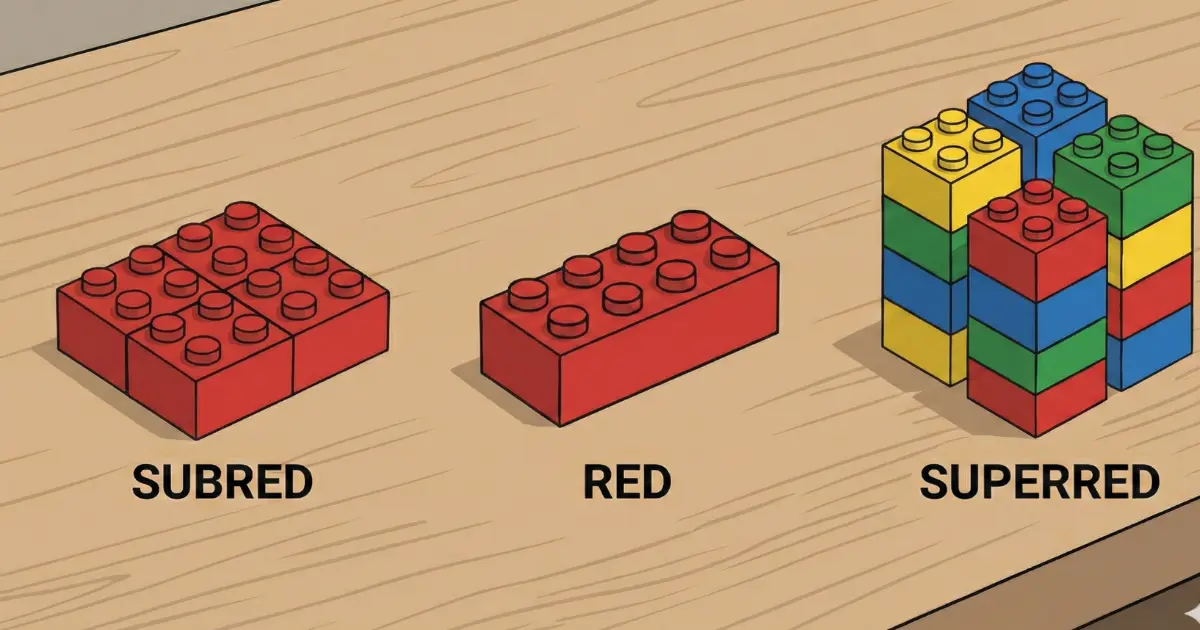
The common confusion
“Network,” “subnet,” and “supernet” sound similar, so it is very easy to mix them up at first. The problem is that in subnetting and routing, confusing these terms can make you miss an exercise even when your calculations are otherwise correct.
The good news is that the difference is very logical: a network is the base block, a subnet is a division, and a supernet is an aggregation. Let us look at examples so the distinction becomes obvious.
Subnet = “from larger to smaller.” Supernet = “from smaller to larger.”
The network is simply the IP block you are using as your reference point.
What is a network?
An IP network is a block of addresses defined by a prefix (CIDR), which determines which bits identify the network and which bits identify hosts. Devices inside that block can belong to the same logical segment.
Typical example:
192.168.1.0/24- Network address: 192.168.1.0
- Host range: 192.168.1.1 – 192.168.1.254
- Broadcast: 192.168.1.255
What is a subnet?
A subnet is a smaller block created by dividing a network. In practice, subnetting is used to organize and segment networks: separating departments, VLANs, zones such as users, servers, or IoT, and reducing broadcast domains.
Example: start with a /24 network and divide it into two /25 subnets:
192.168.1.0/24 → 192.168.1.0/25 and 192.168.1.128/25- Subnet 1: 192.168.1.0/25 (hosts 1–126, broadcast 127)
- Subnet 2: 192.168.1.128/25 (hosts 129–254, broadcast 255)
Fewer hosts per block, more control, and better organization.
What is a supernet?
A supernet does the opposite: it groups several contiguous networks into one larger block. This is used frequently in routing to summarize routes and reduce the size of routing tables.
Example: two contiguous /24 networks can be summarized as one /23:
192.168.0.0/24 + 192.168.1.0/24 → 192.168.0.0/23Fewer routes and more efficient routing.
Network vs subnet vs supernet
In one short summary:
Subnet: divide that block into smaller ones.
Supernet: combine several blocks into one larger block.
- Network: your main reference block, for example 192.168.1.0/24.
- Subnet: increases the prefix (/24 to /25, /26…) → smaller blocks.
- Supernet: decreases the prefix (/24 to /23, /22…) → a larger block.
Quick examples with numbers
Example 1: Subnetting (divide)
You want four equal subnets from a /24. That normally takes you to /26:
192.168.10.0/24 → /26Subnets:
.0, .64, .128, .192Example 2: Supernetting (aggregate)
You have four contiguous /24 networks. You can summarize them as one /22:
10.0.0.0/24, 10.0.1.0/24, 10.0.2.0/24, 10.0.3.0/24→
10.0.0.0/22When do you use each one?
- Network: when defining an IP block for a segment or zone.
- Subnet: when you need segmentation for VLANs, departments, security, or broadcast control.
- Supernet: when you need route summarization in routing, BGP, or hierarchical designs.
If your problem is advertising fewer routes between routers → supernetting.
Common mistakes and how to avoid them
1) Thinking “network” and “subnet” are always fundamentally different
In practice, a subnet is also a network. The difference is context: calling it a “subnet” implies that it came from dividing a larger network.
2) Trying to create a supernet from non-contiguous networks
If the networks are not contiguous or do not align under the prefix, the summary is invalid. Routing can break, or you may advertise addresses that are not actually part of your network.
3) Mixing up prefix direction
- Subnet: /24 → /25 → /26 (smaller blocks)
- Supernet: /24 → /23 → /22 (larger blocks)
Recommended next resources
To keep moving through the topic naturally:
And to check your calculations:
One clear idea to finish with
Subnet = divide for organization.
Supernet = aggregate for route summarization.
Once you keep that logic in mind, the topic stops feeling confusing and becomes much more intuitive. From there, subnetting and routing begin to fit together properly.